How it works?
Configure source client
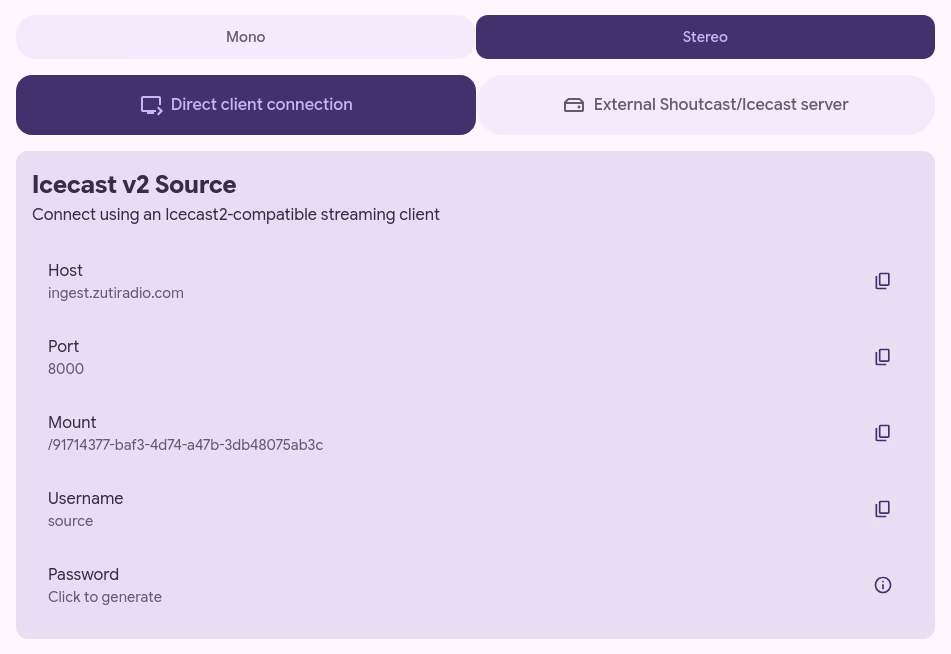
We implement the standard Icecast source protocol, so you can use any existing Icecast2 client application to originate the stream.
It is of course, best if your source client can stream in FLAC of WAV. If it only supports lossy codecs such as AAC, MP3, Opus or Vorbis you can still use it to broadcast, however, keep in mind that we can only give listeners as good audio quality as you provide us.
If you don't already have a specific source client you want to use, take a look at Broadcast Using This Tool. It's a fully featured Icecast2 client with support for FLAC, making it ideal as a loseless source.
Customize the player
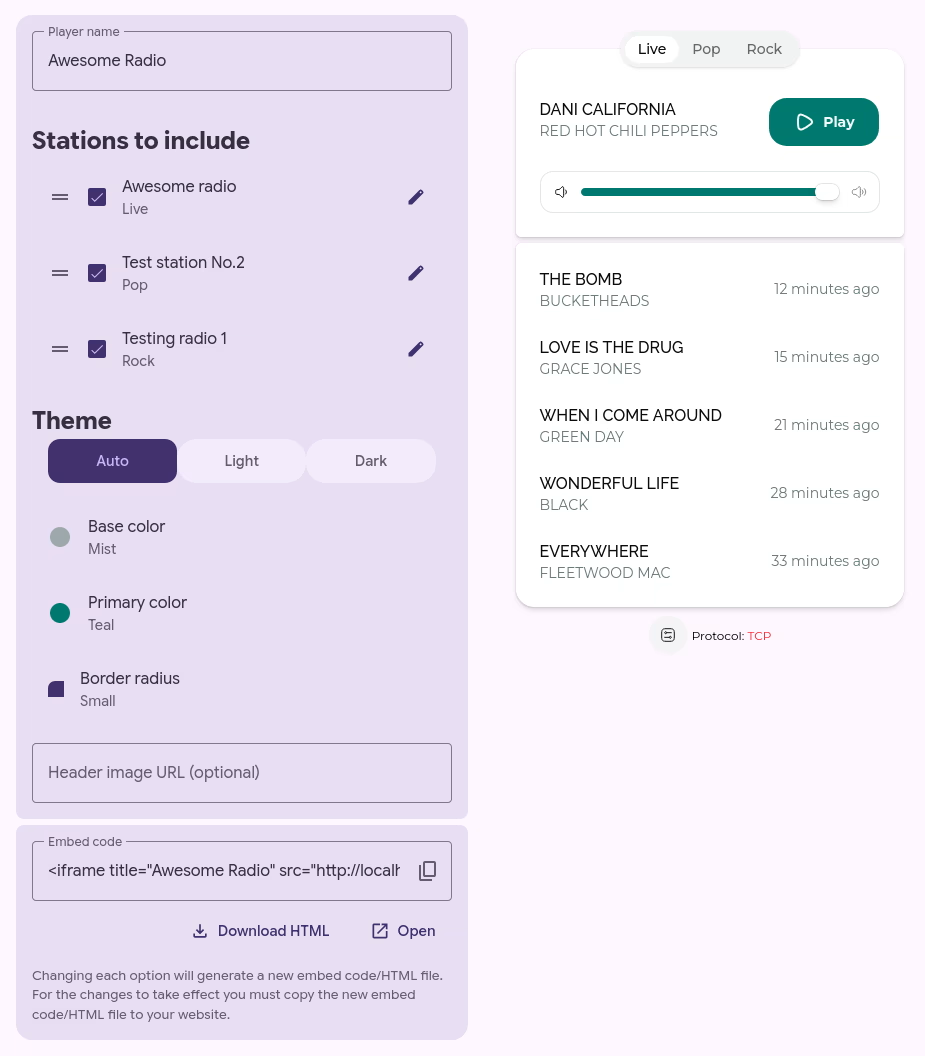
Theme the player so it best fits the brand of your station.
Many stations like to have different 'channels' in addition to their main or live one. This configuration is fully supported, simply create one station for channel and include them all in a player.
After you're satisfied with the player, you can either:
- copy the embed code to your website, this will fully integrate the player on your website without requireing listeners to open a new page.
- download an HTML file that you can then host on your own web server
- open the player in a new tab, this is the simplest option since it doen't require you to have a web server, simply share the opened URL with anyone who might want to listen to your station.
Do note that the player config gets saved in the URL/HTML file/Embed code itself, so after reconfiguring the player, you will need to replace existing the URL/HTML file/Embed code. Otherwise, changes won't take effect.
Watch your station grow
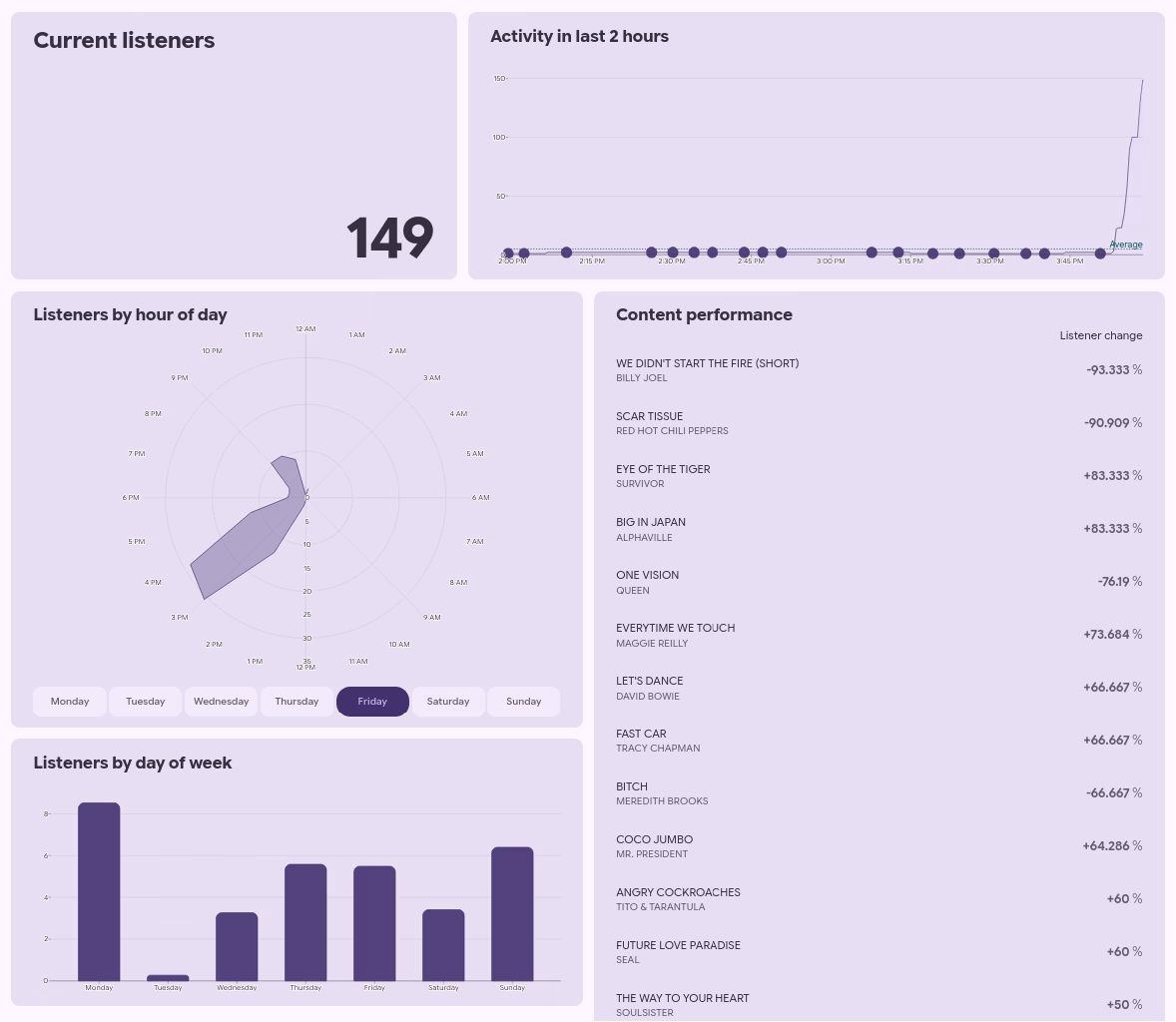
As of now, we offer insights into the following statistics
- The current number of listeners
- Number of listeners in the past 2 hours correlated with the change of metadata
- Which content triggers fluctuations in the number of listeners
- How many listeners are there at what time of day and day of week
- Daily average number of listeners for each day of week
Technical
Adaptive bitrate
If the network connection of a listener has enough throughput, they will get FLAC, if not, we will on-demand transcode to a lower bitrate in order to enshure smooth playback. Advanced listeners are also able to manually set bitrate and latency.
Adjustable latency
Using Media over Quic enables listeners to fine-adjust the latency. This can be useful when participating in a prize game or simmilar.
Connection migration
You might have noticed that Icecast-style HTTTP streams break when switching from Wi-Fi to Mobile data. This happens because the device changes its IP address. We avoid this issue by using Quic on top of UDP instead of TCP for streaming. Quic has connection identifiers separate from the IP address. Not all borwsers support this and others such as Safari and Firefox are known to have buggy implementations in which cases we fall back to using the widely supported Icecast-style HTTP stream.
First class metadata support
We do our best to extract metadata from OGG or ICY sources. The metadata is then distributed to listeners independently of audio, meaning it updates live even whene player is paused. We also cache the last 5 metadata updates to make a short now-playing history visible to the audience.
Existing Icecast-style stream as a source
If you have a radio automation platform that exposes a direct stream link instead of behaving like a source client, just switch the source to External Icecast/Shoutcast connection and input the URL. We will connect to the stream and rebroadcast it to any number of listeners using Media over Quic and adaptive bitrate.
Non-features
Auto-DJ
Our focus is on audio distribution. This isn't a radio-in-a-box service, for that you'll need to look elsewhere. It is, however, entirely possible to connect an external Auto-DJ or radio automation platform to loseless.stream for distribution of the audio.
Mobile apps
Mobile apps requires regular maintenence and work to comply with ever changing Google/Apple policies. This isn't work we're willing to take, but we can give guidance on integrating our Media over Quic streams into mobile apps. Generaly, a good start for developers is taking a look at moq.dev.